


Ollo Credit Card Mobile App
3.7187.00 Reviews
App Specs
- Version
- 4.49.11
- Updated On
- License
- Free
- Downloads
- 100,000+
- Developer
- Merrick Bank
- Categories
- Finance
- Platform
- Android
Screenshots
 Analysis by AppCompare
I find that a card app is most useful when it makes a quick check genuinely quick: I want to see what has posted, understand how much credit is available, and know where to go if something looks wrong. Ollo Credit Card is a finance app from Merrick Bank focused on managing an Ollo credit card. Its appeal is that it puts card-related tasks in one place, rather than asking me to treat a bank account app as the home for every part of my credit-card routine.
Where users can get stuck
The first hurdle with a credit-card app is often not the interface but the handoff between the card and the account. Before relying on a mobile app, I would make sure I’m using the correct account credentials and that the card account itself is ready to access. If sign-in fails, repeated attempts are rarely helpful; I’d pause, check for typing mistakes, and use the account-recovery route offered on the sign-in screen rather than guessing at passwords.
It also helps to be clear about what a mobile account view can and cannot settle instantly. A transaction may take time to appear or change status as it moves through processing. If a recent purchase is missing, I would compare the date and amount with the receipt and check again later before treating it as an error. The app is a convenient way to review activity, but it should not replace a receipt or a conversation with the merchant when the purchase itself is disputed.
Setup checks that save time
Ollo is free, rated for Everyone, and has a 3.3 average from 216 ratings, with 100K+ installs. It was released on Aug 21, 2025; the current version is 4.43.6 and it supports Android 6.0 and later. Those details make it easy to check whether the app is a reasonable fit for an Android device, while the iOS version is available through the App Store. I’d still check that my operating system is up to date enough for the version I’m installing and that I’m getting the app through the official store, especially when dealing with financial access.
Once signed in, I’d take a minute to review the account overview and notification settings rather than assuming every useful alert is switched on. A payment reminder is most valuable when it reaches the device I actually use, and a transaction notification is easier to act on if I recognize the purchase. I’d also confirm that the displayed account details look right before making a payment. That small check is worthwhile whenever a financial task is being done on a phone, where it is easy to tap through screens quickly.
Recovering a routine when something goes wrong
If the app stops responding, I start with basic steps: close and reopen it, check the internet connection, and make sure the installed version is current. If the problem is limited to signing in, I treat that separately from a screen that will not load; account recovery is more relevant to the first, while a connection or temporary app issue may explain the second. I avoid installing an app from an unfamiliar download page or sharing a password with anyone offering to “fix” access.
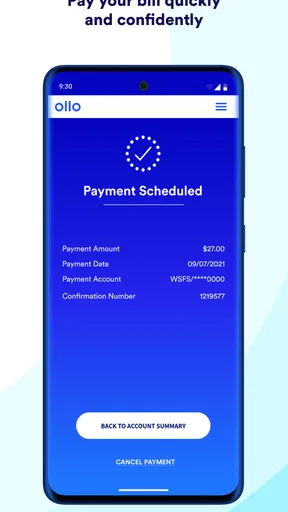
For a payment that appears uncertain, I would first check the transaction history and any confirmation shown after submitting it. I would not submit the same payment again just because the screen took a while to refresh; that can create confusion about whether an instruction went through. If the account still does not make the status clear, I’d contact Merrick Bank through an official support route and keep any confirmation details available. The practical habit is simple: verify before repeating a financial action.
Worth Reading Before You Choose

EA SPORTS FC Mobile 26 Is a Bigger Football Game, but It Takes Time

Flipboard Shows What News Apps Must Do Beyond the Feed

Switching to Android Auto Means Rethinking Your Driving Routine

Google Calendar Makes a Crowded Week Easier to Manage

Ludo King Makes the Most of the Minutes Between Plans

Baby Panda World Brings Quick Play to Modern Phones, but Its Game Library Feels Busy
Using the app in everyday life
I use this section to think through how a card app fits into ordinary decisions, not just what happens when I open it. A quick account check can help me pause before spending, but I still treat the figures as information to review rather than permission to use every available dollar. That distinction matters even more when a purchase or payment has not fully settled.
What it is good for, and what it is not
If you’re like me, managing credit cards can feel like a hassle sometimes. Enter the Ollo Credit Card Mobile App, a nifty tool that aims to simplify your financial life. I've taken it for a spin, and here’s what I think about it.
First Impressions
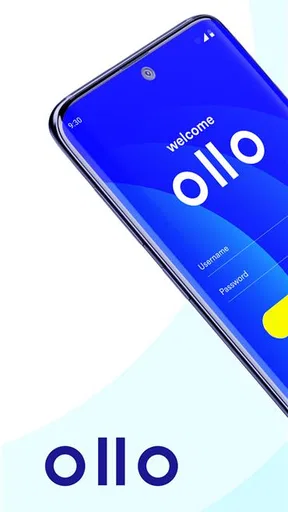
Let’s dive right in. The first thing you notice about the Ollo Credit Card Mobile App is its clean, straightforward design. No overwhelming menus or confusing icons – just a simple interface that gets straight to the point. After downloading it from the App Store, I was up and running in no time. The setup process is as easy as pie, and I appreciate that in an app.
Dashboard and Navigation
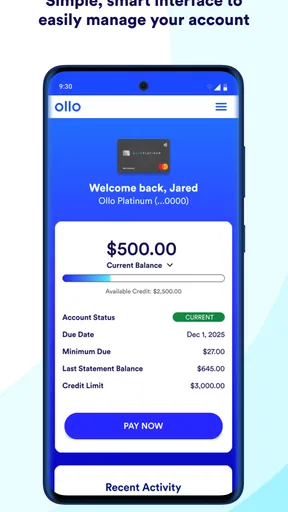
The dashboard is where all the magic happens. It’s intuitive, with a neat layout that gives you an overview of your account balance, available credit, and recent transactions. Navigating through the app is a breeze, and everything is exactly where you’d expect it to be. If you’re tech-savvy or even if you’re not, you’ll find this app user-friendly.
Features That Matter
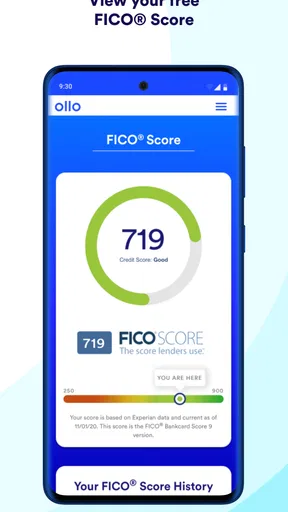
One of the features I love is the real-time alerts. You can get notifications for transactions, payment reminders, and even suspicious activity. It’s like having a personal assistant who’s always on the lookout for you. Plus, the app allows you to make payments directly, review your transaction history, and check your FICO score. Yes, you heard that right – you can keep an eye on your credit score without any extra hassle.
For a realistic everyday use, imagine checking the app after buying groceries, then glancing at it again before a larger planned purchase. I find those two checks serve different purposes: the first is about recognizing activity, while the second is about making a cautious decision with the available-credit figure in mind. That figure is a snapshot, not a spending recommendation. I’d still leave room for pending purchases and upcoming obligations rather than treating the displayed amount as money I should use.
The credit-score view is useful as a quick reference, but I would not make a major borrowing decision from one score screen alone. Credit scores can be presented in different contexts, and a card app’s view is best treated as a convenient check rather than a complete picture of a credit file. The practical benefit here is routine awareness: noticing a change and deciding whether I need to look into it, not assuming the app explains every factor behind it.
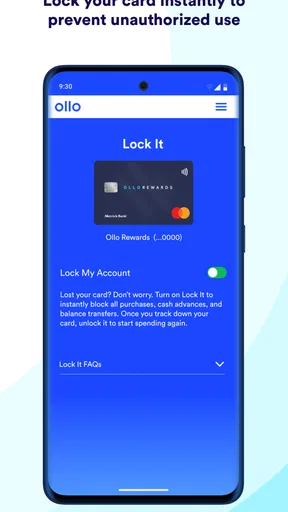
Another cool feature is the ability to manage card controls. Whether you want to set spending limits or temporarily freeze your card, it’s all at your fingertips. This level of control is not just convenient but adds an extra layer of security, which we all need these days.
Card controls are most helpful when used deliberately. If I temporarily freeze a card because I cannot find it, I’d make a note to check the control again after locating it, before trying to pay with it. A declined purchase can otherwise look like a merchant or payment problem when the card setting is the cause. For a suspected unauthorized charge, a control can be a useful immediate precaution, but I would also review the transaction and contact the issuer through an official channel so the underlying issue is handled.
Security and Privacy
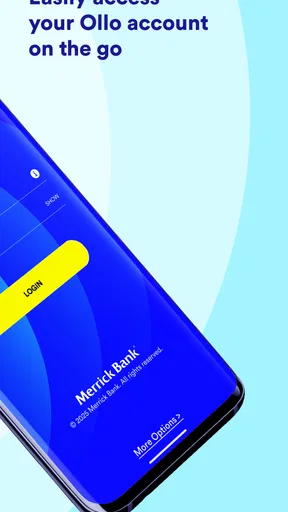
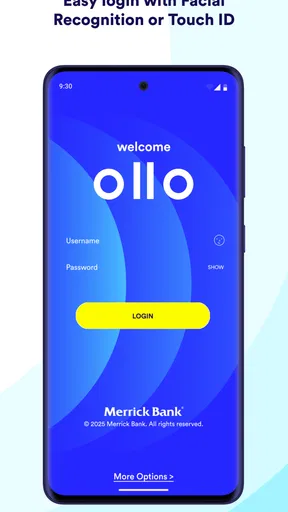
Speaking of security, the app doesn’t skimp on this front. It uses encryption to protect your data and requires biometric login options like fingerprint or face recognition. It’s a comforting thought to know that your financial data is secure and private.
Even with an app’s security measures, I treat the phone itself as part of the security setup. A screen lock and keeping access to the device private matter, particularly if I use it to view balances or make payments. I also avoid signing in over a connection I do not trust when handling account details. These are sensible habits for any financial app, and they help prevent convenience from turning into careless access.
Customer Support
Now, let’s talk about customer support. If you ever need help, the app offers multiple ways to get in touch, including a direct call or chat option. I tested out the chat feature, and the response was prompt and helpful. It’s reassuring to have support just a tap away.
Support is especially relevant when the app cannot resolve a card-account question by itself. I would use the app for routine checks and straightforward account tasks, then contact Merrick Bank when the issue concerns an unfamiliar transaction, account access that remains blocked, or a payment whose status is unclear. Keeping the date, amount, and any on-screen confirmation close at hand makes that conversation more focused. For a merchant-side problem, such as an order that has not arrived, the merchant may need to be involved too; the card app is not a substitute for resolving the purchase with the seller.
How it compares with other ways to manage a card
Compared with checking a statement on a computer or calling the number on a card, a mobile app is better suited to quick checks while I’m away from home. It gathers the balance, activity, payment access, score view, alerts, and card controls described here into a phone-based routine. A general budgeting app can be better for seeing spending across several accounts, while a bank’s broader app may suit someone who wants one place for checking and savings as well as cards. Those alternatives do not necessarily replace an issuer’s own app for card-specific actions.
That distinction is why I’d recommend this app most to someone who already has an Ollo card and wants a direct way to keep an eye on that account. It is less compelling for someone comparing cards before applying, someone who needs a full household budget across multiple institutions, or someone who does not want to manage finances on a phone. In those cases, a budgeting tool, a desktop account view, or a different issuer’s app may fit the job better.
When the app may not be the cause
A confusing balance or an unexpected available-credit figure does not automatically mean the app is malfunctioning. Recent activity, pending transactions, and account timing can affect what a person sees. I would compare the screen with receipts and prior account activity, then give the information a chance to update before drawing a conclusion. If the numbers still do not make sense, asking the issuer is safer than relying on a guess or making a second payment.
Likewise, a declined card purchase can have causes beyond the phone app: the card may be temporarily frozen, the merchant’s payment process may be having trouble, or the account may need attention. The app can help me check the card account and its controls, but it cannot diagnose every point in a payment chain. I’d avoid repeatedly retrying a purchase without checking what happened, especially if more than one attempt could create duplicate authorizations.
Security and Privacy
Speaking of security, the app doesn’t skimp on this front. It uses encryption to protect your data and requires biometric login options like fingerprint or face recognition. It’s a comforting thought to know that your financial data is secure and private.
Customer Support
Now, let’s talk about customer support. If you ever need help, the app offers multiple ways to get in touch, including a direct call or chat option. I tested out the chat feature, and the response was prompt and helpful. It’s reassuring to have support just a tap away.
Practical verdict
Now, let’s talk about customer support. If you ever need help, the app offers multiple ways to get in touch, including a direct call or chat option. I tested out the chat feature, and the response was prompt and helpful. It’s reassuring to have support just a tap away.
So, what’s the verdict? The Ollo Credit Card Mobile App is a solid choice for anyone looking to manage their credit card efficiently. It’s straightforward, secure, and packed with features that make managing your finances a whole lot easier. Whether you’re a credit card newbie or a seasoned pro, this app has something to offer.
Overall, I’ve had a positive experience with the app. It’s reliable and makes credit card management less of a chore and more of a seamless part of your daily routine. If you haven’t tried it yet, I’d say it’s worth a download!
Pros
- User-friendly interface for easy navigation.
- Real-time transaction notifications.
- Customizable spending alerts.
- Secure login with fingerprint or Face ID.
- Quick access to recent statements.
Cons
- Limited payment options within the app.
- Occasional syncing delays with accounts.
- No dark mode available.
- May have issues on older devices.
- Limited integration with budgeting apps.
FAQs for Ollo Credit Card Mobile App
What features does the Ollo Credit Card Mobile App offer?
The Ollo Credit Card Mobile App offers a range of features to enhance your financial management. Users can easily view their account balance, transaction history, and payment due dates. The app also allows users to make payments, set up alerts, and manage account settings, providing a comprehensive tool for credit management.
Is the Ollo Credit Card Mobile App secure?
Yes, the Ollo Credit Card Mobile App is designed with security in mind. It includes features such as encryption, biometric login options, and multi-factor authentication to protect your personal and financial information. Regular updates ensure that the app is equipped with the latest security measures.
Can I manage multiple accounts with the Ollo Credit Card Mobile App?
Currently, the Ollo Credit Card Mobile App supports management of a single account per login. Users with multiple Ollo credit cards will need to log in separately for each account. The app focuses on providing a streamlined experience for individual account management.
How user-friendly is the Ollo Credit Card Mobile App?
The Ollo Credit Card Mobile App is designed with user-friendliness in mind. Its intuitive interface makes navigation simple, with clear menus and easy access to account details. New users typically find it easy to set up and navigate, making it suitable for all levels of tech-savviness.
Does the Ollo Credit Card Mobile App provide customer support?
Yes, the Ollo Credit Card Mobile App offers customer support through various channels. Users can access FAQs, chat support, and contact information within the app. This ensures that help is readily available for resolving any issues or answering questions related to your account.


